
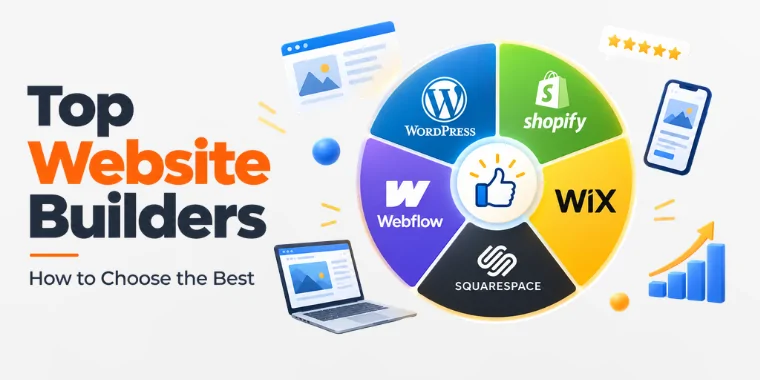
So you need a website. Maybe you run a bakery on Queen Street, a plumbing company in Scarborough, or a busy physio clinic in North York. Either way, you have probably typed “best website builder” into Google and found about a thousand opinions.
Here is the honest truth: there is no single best website builder. There is only the best one for your business, your budget, and how much time you actually want to spend tinkering.
In this guide, we will walk through the top platforms, what each one does well, and how to pick the right fit. We will also cover when it makes more sense to skip the DIY route and work with a web design agency in Toronto instead.
Let’s dig in.
Why Does Your Website Builder Choice Matters?
Your website is often the very first impression a customer gets of your business. Pick the wrong platform and you could end up with a slow site, limited features, or a costly rebuild a year from now.
The builder you choose affects:
- How fast your pages load?
- How easily customers find you on Google?
- How smoothly your site works on phones?
- How much do you pay over the long run?
- How easy is it to update content yourself?
Did You Know? Most visitors decide whether they trust a website within a few seconds of landing on it. A clunky or outdated design can send them straight to a competitor down the street.
The Top Website Builders in 2026-2027
Here is a straightforward look at the platforms most Toronto businesses consider.
1. WordPress
WordPress powers a huge share of the internet, and for good reason. It is open source, endlessly flexible, and backed by thousands of themes and plugins.
Best for: Businesses that want full control, strong SEO, and room to grow.
- Pros: Almost unlimited customization, excellent SEO and blogging tools, and you fully own your site.
- Cons: A steeper learning curve, plus you are responsible for hosting, updates, and security. However, many WordPress themes and page builders offer user-friendly editors that make website updates easier.
2. Wix
Wix is a favourite with beginners thanks to its simple drag and drop editor. You can have a basic site live in an afternoon.
Best for: Personal sites, portfolios, and very simple service businesses.
- Pros: Very easy to use, hosting included, and hundreds of templates.
- Cons: Hard to move your site elsewhere later, and SEO flexibility is more limited than WordPress.
3. Squarespace
Squarespace is known for sleek, polished templates that look great right out of the box.
Best for: Photographers, designers, restaurants, and boutique brands.
- Pros: Beautiful design, an all in one setup, and reliable performance.
- Cons: Less room for customization and fewer integrations.
4. Shopify
If selling products online is your main goal, Shopify is hard to beat.
Best for: Online stores of any size.
- Pros: Secure checkout, inventory tools, payment processing, and a huge app store.
- Cons: Monthly fees and app costs add up quickly, and it is less ideal for content heavy sites.
5. Webflow
Webflow gives designers visual control while producing clean code behind the scenes.
Best for: Design focused brands with someone technical on the team.
- Pros: Stunning custom layouts and smooth animations.
- Cons: A real learning curve and pricing tiers that can feel confusing.
Quick Tip: Before you commit, sign up for a free trial and build one test page. Twenty minutes inside the editor will tell you more than any review.
How to Choose the Best Website Builder for Your Business?
Feeling overwhelmed? Work through these six questions and the right choice usually becomes clear.
- What is the main goal of your site? Generating leads, selling products, taking bookings, and showing off a portfolio all call for different tools.
- How much time and skill do you have? Be honest. If you are already working 60 hour weeks, learning a website builder may not be the best use of your evenings.
- How important is Google? If customers find you through search, SEO features should be at the top of your list.
- Where do you see your business in three years? Choose a platform that can grow with you, not one you will outgrow by next spring.
- What is the true total cost? Add up hosting, apps, plugins, premium themes, and your own time, not just the monthly plan.
- Who owns your website? Some platforms make it very hard to take your site with you if you ever want to switch.
Important: Cheap today can mean expensive tomorrow. Many business owners choose the lowest priced plan, outgrow it within a year, and end up paying for a complete rebuild.
Quick Comparison at a Glance
| Builder | Best For | Ease of Use | SEO Strength |
|---|---|---|---|
| WordPress | Growing businesses | Moderate | Excellent |
| Wix | Simple sites | Very easy | Good |
| Squarespace | Creative brands | Easy | Good |
| Shopify | Online stores | Easy | Good |
| Webflow | Design focused brands | Challenging | Very good |
DIY Builder or Professional Web Design Agency?
Website builders are great tools. But a tool is only as good as the time and knowledge you put into it.
When Does DIY Make Sense?
- You are just starting out with a very small budget
- You need a simple online business card with a few pages
- You genuinely enjoy design and have time to learn
When It Is Time to Call in the Pros?
- Your website needs to bring in steady leads or sales
- You want to rank on Google against local competitors
- You have tried a builder and the result just does not look professional
- You would rather spend your time running your business
This is where a web design agency in Toronto can make a real difference. A local team understands how Toronto customers search, what your competitors are doing, and what it takes to stand out in a crowded market.
Did You Know? A website built with SEO in mind from day one usually performs better than one where SEO gets added as an afterthought. Structure, speed, and clean code all play a role.
What to Look for in a Web Design Agency in Toronto?
Not all agencies are created equal. Before you sign anything, look for:
- A real portfolio of local business websites
- SEO expertise built into the design process
- Transparent pricing with no long term contracts
- Full ownership of your design, code, and content
- Mobile first designs that work on every screen
- Ongoing support after launch
Pat’s Marketing checks every one of these boxes. As a trusted web design agency in Toronto since 2008, the team has built hundreds of websites for local contractors, clinics, law firms, and retailers. They are a certified Google Partner with a 95% client retention rate, offer WordPress sites with SEO built in, and include 30 days of post launch support. Best of all, there are no contracts and you own everything.
Quick Tip: Ask any agency this simple question: “Will I own my website, domain, and content when the project is done?” If the answer is anything other than yes, keep looking.
Choosing a Web Design Agency in Toronto
The best website builder is the one that matches your goals, your budget, and your schedule. WordPress offers the most flexibility, Wix and Squarespace keep things simple, Shopify rules ecommerce, and Webflow suits design lovers.
If your website needs to do more than just exist, if it needs to rank, convert, and grow with you, a professional team is often the smarter investment.
Ready to Build a Website That Actually Brings in Customers?
Stop wrestling with templates and start getting results. The Pat’s Marketing team will design a fast, mobile friendly, SEO ready website that turns Toronto visitors into paying clients.
- Free strategy consultation
- No contracts, no hidden fees
- You own 100% of your website
Call us today at 1.437.826.9333 and let’s talk about your project.


